Introduction
Shopping for a phone mount can feel endless. There are thousands of options: suction cups, magnets, vents, clamps, tall, short… How do you even begin to choose? This “choice paralysis” is real, and it’s easy to end up with a mount that just doesn’t work for you.
The secret isn’t finding the one “best” mount—it’s finding the “best” mount for you. To make it easy, we’ve broken it down into 12 simple questions. Answer these, and you’ll know exactly what you need, whether it’s for your daily commute, your home office, or your next viral video.
Part 1: The “Big Picture” Questions (Define Your Need)
(This section helps the user narrow down the category.)
First, Let’s Define Your Primary Use Case
Q1: “Where will I use this mount 90% of the time?” (The ‘Scenario’ Question)
A: Be honest with yourself. Are you a daily commuter who needs GPS (Car)? A remote worker who lives on video calls (Desk)? A content creator who needs a stable shot (Vlogging)?
Why it matters: A great car mount makes a terrible vlogging mount, and a desk stand won’t survive a bumpy road. Don’t buy a “one-size-fits-all” solution unless you absolutely have to. Focus on your primary need.
Q2: “What phone do I have?” (The ‘Compatibility’ Question)
A: This is the most important question.
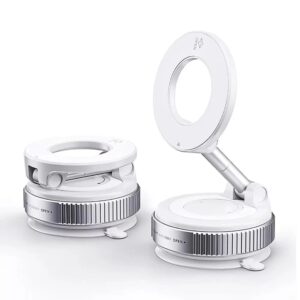
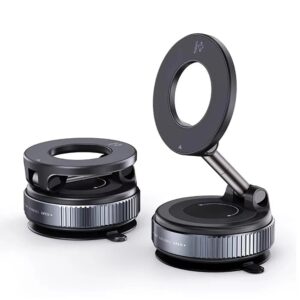
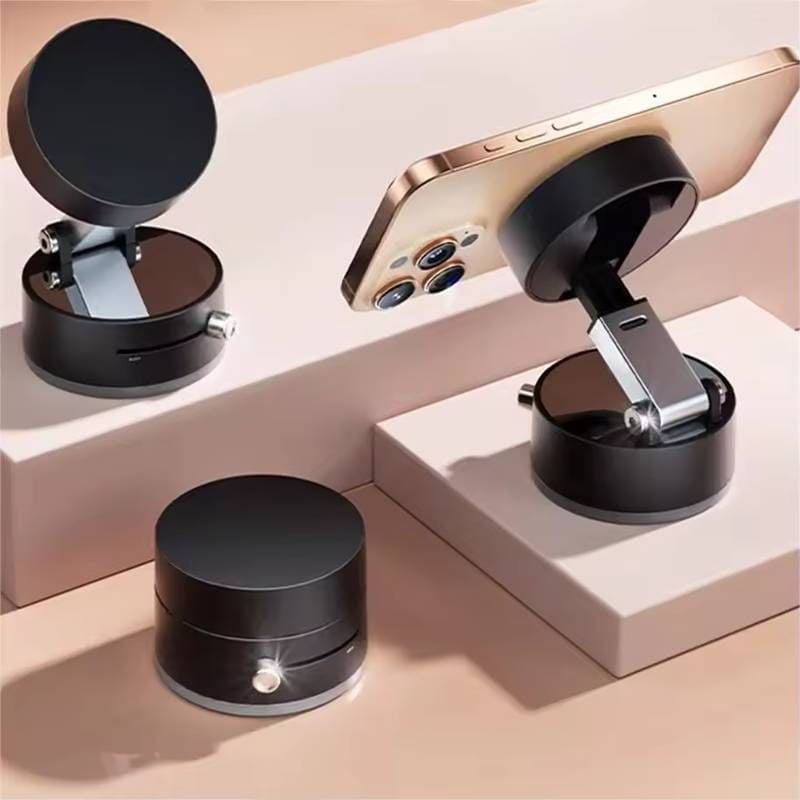
- If you have an iPhone 12 or newer: You live in the MagSafe world. You can choose from hundreds of incredibly convenient magnetic mounts that snap right on.
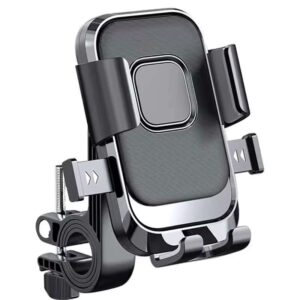
- If you have an Android or older iPhone: You are in the Universal Clamp world. You need a mount with adjustable arms to grip your phone, or a system that uses a universal magnetic plate.
Q3: “Do I need wireless charging built-in?”
A: This adds to the cost but is a massive convenience, especially in the car or on a desk.
The Check: Does your phone support Qi (pronounced ‘chee’) wireless charging? (Most modern flagship phones do). If so, it’s worth considering a charging mount to end cable clutter. If not, you’ll save money with a standard, non-charging mount.
Part 2: The “In-the-Car” Deep Dive (The Commuter)
(This is the most popular category, so it gets the most detail.)
Must-Ask Questions for Car Mounts
Q4: “What’s the best mounting location: Dash, Windshield, or Vent?”
A: (Breakdown)
- Dash (Suction or Adhesive): Pro: Good visibility, easy to see. Con: Can fail in extreme heat, and suction cups won’t stick to textured dashboards.
- Windshield (Suction): Pro: Strongest, most reliable suction (glass is the perfect surface). Con: Can obstruct your view and is illegal in some states or regions.
- Vent (Clamp): Pro: Easy to install/remove, keeps your phone cool in the summer when the AC is on. Con: Blocks an air vent and can be less stable with very heavy phones.
- Cup Holder: Pro: Very stable and out of the way. Con: Poor viewing angle—you have to look down, which is bad for navigation.
Q5: “Is a magnetic (MagSafe) mount strong enough for a bumpy road?”
A: Yes, if it’s a quality one. A good MagSafe mount has a strong, certified magnet array that will hold on tightly. We recommend using a MagSafe-compatible case for the best results. A bare iPhone or a good case will hold on just fine, but a cheap, non-MagSafe case will block the magnetic force.
Q6: “Will a vent mount damage my car’s vents?”
A: It’s unlikely, but you should choose wisely. Look for a vent mount that has a bracing arm or stabilizer that rests against the dash for support. This prevents the mount’s weight from pulling down on the fragile vent slats. Avoid cheap, all-plastic clips that put all the stress on one slat.
Part 3: The “At-Home-or-Office” Deep Dive (The Worker)
Must-Ask Questions for Desk Mounts
Q7: “What’s better: a weighted base or a C-clamp?”
A:
- Weighted Base: Good for portability. You can easily move it around your desk. The downside is it takes up valuable desk space.
- C-Clamp (like a mic arm): This is the best for saving space. It clamps to the edge of your desk, freeing up your workspace. It’s incredibly stable but less portable.
Q8: “How tall should my desk stand be?”
A: For video calls (Zoom, Teams, etc.), you need one that is eye-level. This is far more flattering and professional. Look for an adjustable-height stand (often 10-15 inches). For simply viewing notifications or as a “second screen,” a short, angled stand is all you need.
Part 4: The “Content Creator” Deep Dive (The Vlogger)
Must-Ask Questions for Vlogging & Filming
Q9: “What’s the difference between a phone stand and a ‘vlogging mount’?”
A: Features. A vlogging mount is a tool. It will have a standard tripod thread (1/4″-20) on the bottom. This allows you to attach it to a real tripod, a selfie stick, or a camera handle. A simple desk stand won’t have this.
Q10: “What’s a ‘cold shoe’ and do I need one?”
A: A cold shoe is a little slot (usually on top or on the side of the mount) where you can attach accessories without power. This is for things like an external microphone or a small LED light. If you are serious about your video or audio quality, a mount with a cold shoe is a must-have.
Part 5: The Final Check
Two Last Questions Before You Click “Buy”
Q11: “Will this mount work with my phone case?”
A: This is the biggest mistake people make!
- For MagSafe: You must have a MagSafe-compatible case or a very thin case (under 2mm). A thick case will block the magnets.
- For Clamps: Check the max width of the clamp. If you use a thick OtterBox, a wallet case, or a battery case, you need a “heavy-duty” or extra-wide clamp.
Q12: “Do I really need the $50 one, or will the $10 one work?”
A: It depends on the feature.
- Spend more on: Wireless charging, strong MagSafe magnets, and all-metal construction for durability. These features have real-world value.
- Save money on: Basic (non-charging) desk stands, or simple vent clips for a light phone. You get what you pay for in stability, materials, and features.
Conclusion: Find Your Perfect Match
There is no single “best phone mount,” but by answering these 12 questions, you’ve built a profile of the perfect mount for you.
Whether you identified as a Commuter, a Worker, or a Creator, you’re now ready to shop with confidence.